Introduction
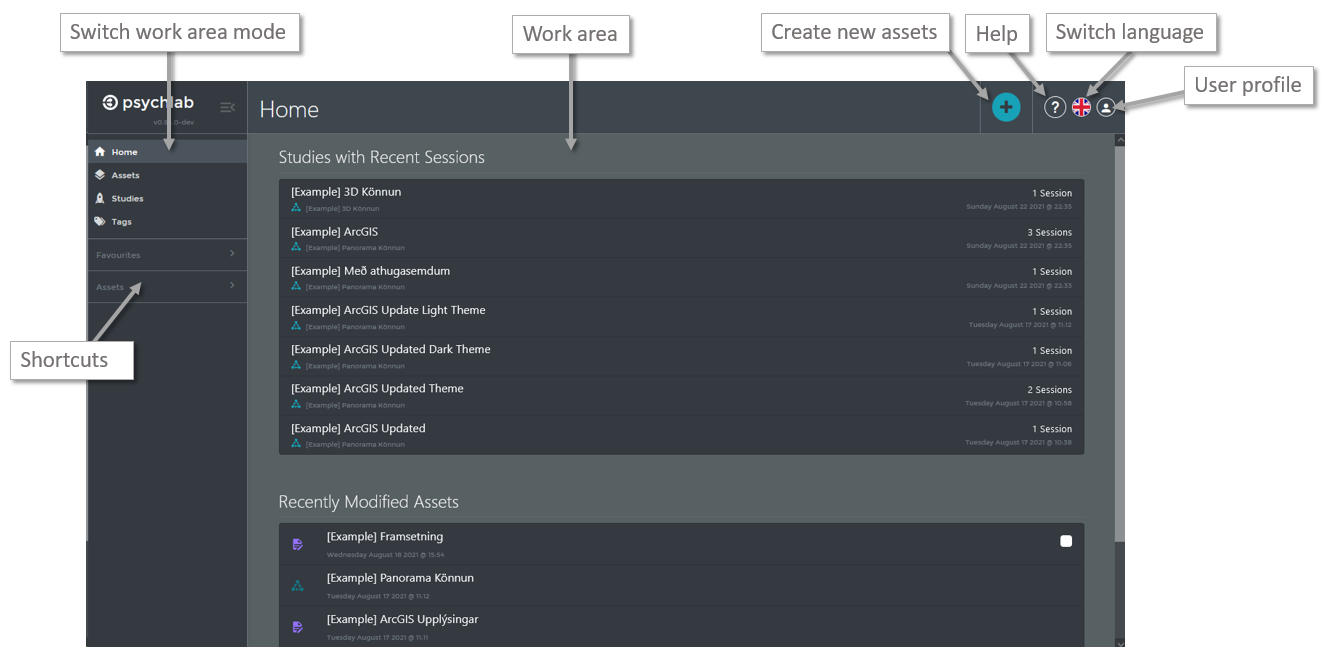
The VRPsychLab main screen consists of a work area switcher on the left, a general application tool bar at the top and a large work area in the middle.
One would usually choose the work are mode from the switcher, but it is also possible to use the “Favourite” and “Assets” shortcut drop downs to quickly jump to favourited items or recently edited assets respectively.